Since I have been going around without my smartphone a little while
now, I thought it would be fun to document the things I am currently
relying on instead. The main thing I have noticed in this is that
smartphones are designed in a way that convinces you that you cannot do
without them. This is mostly an illusion. It requires work, yes, but
once you start looking into alternatives seriously a lot of them are
quite easy. The trade-off for reducing the chance you get distracted by
the attention seeking pocket computer is forgoing some (or sometimes a
lot of) convienience. Personally I have been having a good time with it,
which is why I have stuck with this so far. I get to use little devices
with clicky buttons and I feel like I am finally getting a sense of the
city’s layout because I am forced to look at tram maps rather than my
phone. Putting your phone away will not cure your ADHD but if this seems
fun to any oomfs reading it I recommend giving it a go. 
Getting around without Google Maps: It takes a bit longer, but you do not have to spend any money. Tourist information centres and public transport helpdesks hand out free paper maps in addition to telling you where you need to go. I thought starting a map collection would be a somewhat expensive hobby but it turns out to be free. I recently also got a compass from a thrift store. My guess is they didn’t expect to sell it because they just gave it to me when I asked for the price.
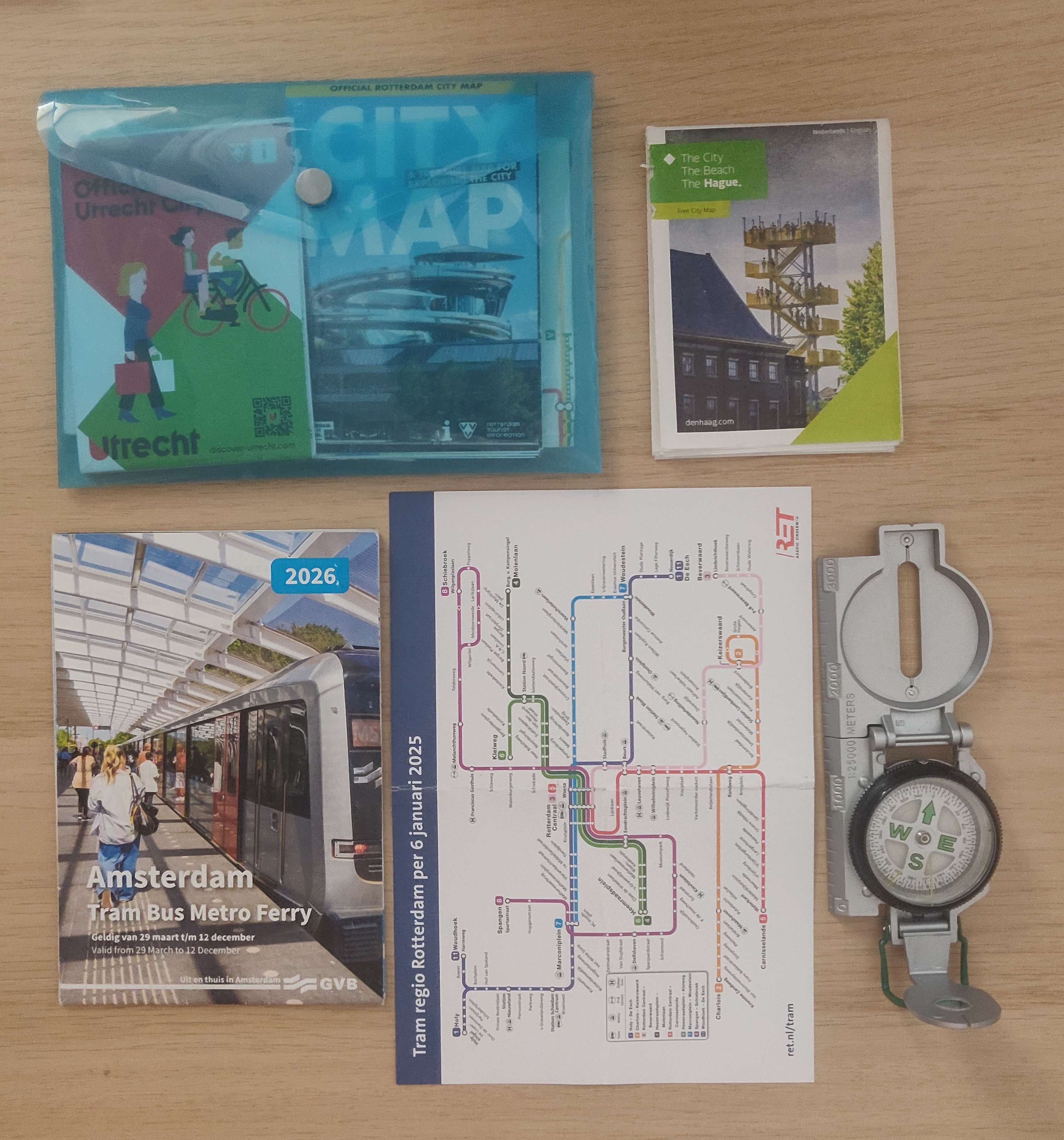
Getting around public transport: I try to check the Dutch public transport navigation website before I live the house and write down my preferred train, departure time and platform. If there’s delays or cancellations generally you’re told about it via loud speakers and all decently sized train stations have a service desk where you can ask how to proceed. (LIFEHACK: make use of the service desk that’s there for this exact thing!)
Remembering appointments: I got a pocket-sized paper planner that I have indeed been carrying in my pocket. It has a notes section on the right side which means I can write down whatever random stuff I need to remember (e.g. train departure times, directions). The one downside is that cancelled or rescheduled appointments have to be crossed out rather than dragged to a different location, but that’s not dealbreaker for me.
Shopping lists: Ditto. Pocket sized notebook.
E-mails & school announcements: I added all my personal- and school accounts to Thunderbird via IMAP and honestly prefer it to getting notifications on my phone. This way I can take whatever action a given e-mail demands as I see it, rather than having it sit on my notification bar as a reminder for when I get to my pc at home.
2-Factor Authentication: Turns out that 2-fa apps are available for desktop. Life-changing discovery, frankly. It is hard to overstate how great it feels to be able to log into my university environment to look at my homework without digging out my phone and getting distracted by notifications.
Music/Spotify/podcasts: This is probably the highest effort but also the most fun workaround. In my previous post I documented the process of getting an old mp3 player with a partially corrupted memory set up with Rockbox. In the end I decided to get the same model used from eBay. It has been working like a charm. Popped in a 32GB microSD card, ethically sourced the important albums in my rotation from the internet and (finally) cancelled my Spotify subscription. Rockbox has basically all the functions a person could want and more. It is possible to create playlists, make bookmarks for resuming podcasts or audiobooks at a later date, you can set it to rewind a number of seconds upon pause, so if I missed a sentence I simply mash the pause button a few times. There is even a function to enable an autolock for the buttons to prevent accidentally skip tracks. I use gPodder to sync podcast episodes to my SD card and delete them after listening.1
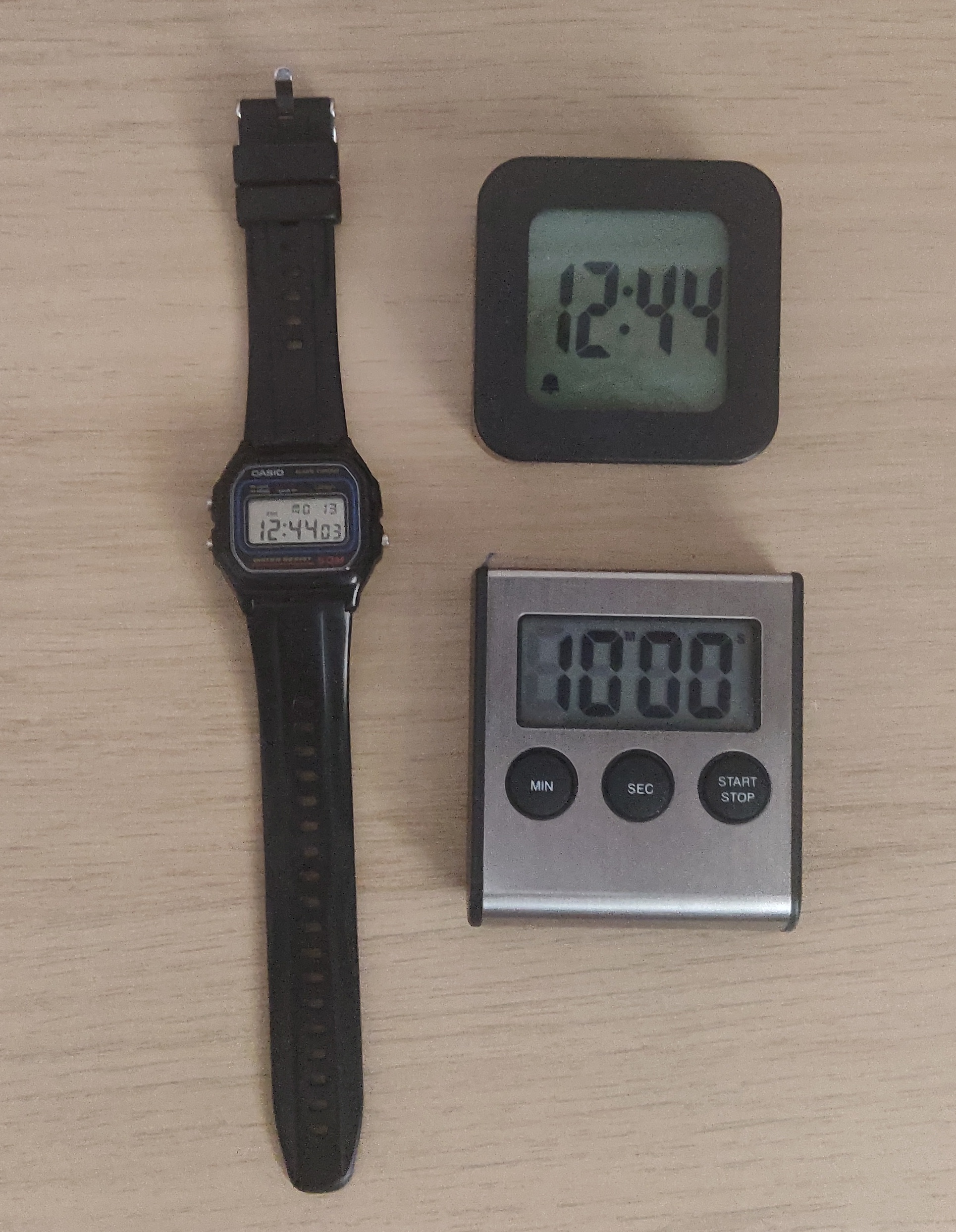
Clock/alarm/timers: I already had a watch so I did not need to go and buy one, but I did spend a few euro on an alarm clock and a digital kitchen timer. The kitchen timer in particular is nice. It has a magnet on the back so it can be stuck on the fridge so I always know where it is. Not having to look for my phone every time I cook some rice feels great.
Messaging: I have been using my pc more because it is much more convenient to answer WhatsApp/Discord/Signal messages there. In addition to that I have developed an interest in niche Android feature phones. Kind of unfortunate as it is not a particularly interesting conversation topic, but a girl needs her fixations. Which is to say, I will likely write a post about niche Android phones with physical dialpads. Initially this post was just going to cover the flip phone I got, but it ran a little long so I decided to split it.
 An unexpected consequence of this little project is
that I can wear clothing without big pockets now, which is a thing I’ve
avoided in the past bc I needed to carry my phone with me. Never thought
too hard about all the choices I made to configure my life around the
small brick pocket computer that constantly asks for attention until I
made an effort to stop doing that, and I’m quite happy I did. I haven’t
managed to fully ditch my smartphone because of online banking and
because I communicate with my landlord via WeChat. And I occastionally
want to take pictures of food I’ve made to send to friends. It just
stays at my desk though, with all notifications disabled.
An unexpected consequence of this little project is
that I can wear clothing without big pockets now, which is a thing I’ve
avoided in the past bc I needed to carry my phone with me. Never thought
too hard about all the choices I made to configure my life around the
small brick pocket computer that constantly asks for attention until I
made an effort to stop doing that, and I’m quite happy I did. I haven’t
managed to fully ditch my smartphone because of online banking and
because I communicate with my landlord via WeChat. And I occastionally
want to take pictures of food I’ve made to send to friends. It just
stays at my desk though, with all notifications disabled.
PSA for anyone who is into the idea of using an mp3 player but only has wireless headphones: there is a few newer models on the market with bluetooth support. They are not ludicrously expensive either.↩︎